

Did You Know?
There are over 700 different programming languages! Popular ones include Python, JavaScript, Java, and C++. Python is named after the British comedy group Monty Python, not the snake.
How to Get Started
Getting started in a career in software development begins with learning to code and building projects. Unlike many careers, software development has an incredibly low barrier to entry: you can start learning for free right now with just a computer and an internet connection. The most successful developers are lifelong learners who build things they care about and are not afraid to make mistakes. Starting early with coding basics, building real projects, and connecting with the developer community can set you on a path to becoming a software developer.
Explore the Basics
Start with visual, block-based coding tools like Scratch (scratch.mit.edu), which lets you create games and animations by snapping colorful blocks together instead of typing code. Code.org offers free courses designed specifically for kids. These tools teach you programming concepts like loops, conditions, and variables through play.
Try It Out
Create your own games, stories, or animations in Scratch and share them with friends and family. Participate in Hour of Code activities during Computer Science Education Week. Try coding toys and games like Osmo, Sphero robots, or LEGO Mindstorms that combine physical play with programming.
Join the Community
Share your Scratch projects in the Scratch online community, where millions of young creators share and remix each other's work. Ask family members or teachers who know about coding to show you what they do. Watch age-appropriate coding videos on YouTube Kids to see what is possible.
How to Become a Software Dev
Explore more resources for a future Software Dev
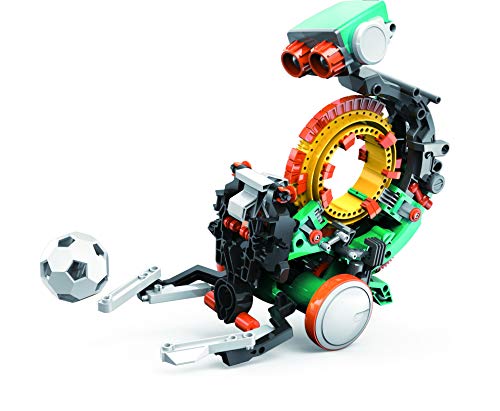
Teach Tech Mech 5, Mechanical Coding Robot, Coding Wheel Makes Robot Throw, Lift, kick, Draw and More, Ages 10 and Older
Why We Picked It
This buildable coding robot uses programmable mechanical switches instead of screens, letting kids see and feel how their code translates into physical movement and behavior.
Career Connection
Software developers must understand how code controls hardware — from robotics to IoT devices — and Mech-5 makes that code-to-machine connection tangible by showing exactly how instructions become physical actions.

Coding Games in Scratch: A Step-by-Step Visual Guide to Building Your Own Computer Games (Computer Coding for Kids)
Jon Woodcock
Why We Picked It
Color-coded blocks and screen grabs walk readers through building arcade classics, animations, and quizzes with debug checklists and creative remix ideas at every level.
Career Connection
Software developers prototype, test, and iterate on projects through multiple versions, and Scratch's visual block system teaches the same build-test-debug cycle that professional development workflows follow.
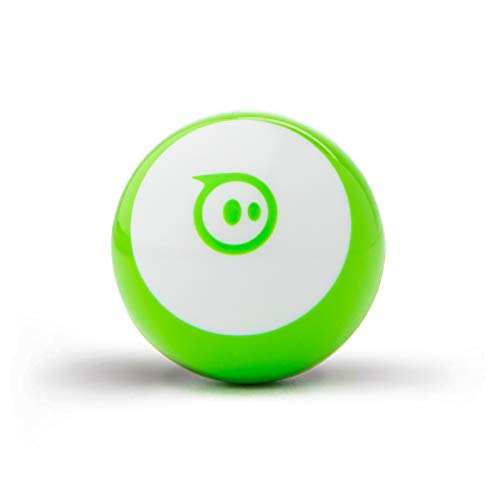
Sphero Mini (Green) - Coding Robot Ball - Educational Coding and Gaming for Kids and Teens - Tabletop-Friendly - Interactive and Fun Learning Experience for Ages 8+
Why We Picked It
This programmable robot ball lets kids code movement, color changes, and game behaviors through visual block coding or JavaScript, with instant real-world feedback on every command.
Career Connection
Software developers test code by running it and observing the output, and Sphero provides the same immediate feedback loop — write code, watch the ball respond, debug, and improve — that professional coding relies on.